> ## Documentation Index
> Fetch the complete documentation index at: https://docs.getourchest.com/llms.txt
> Use this file to discover all available pages before exploring further.
# Storage and your plan
> See how much storage you have used and which plan you are on
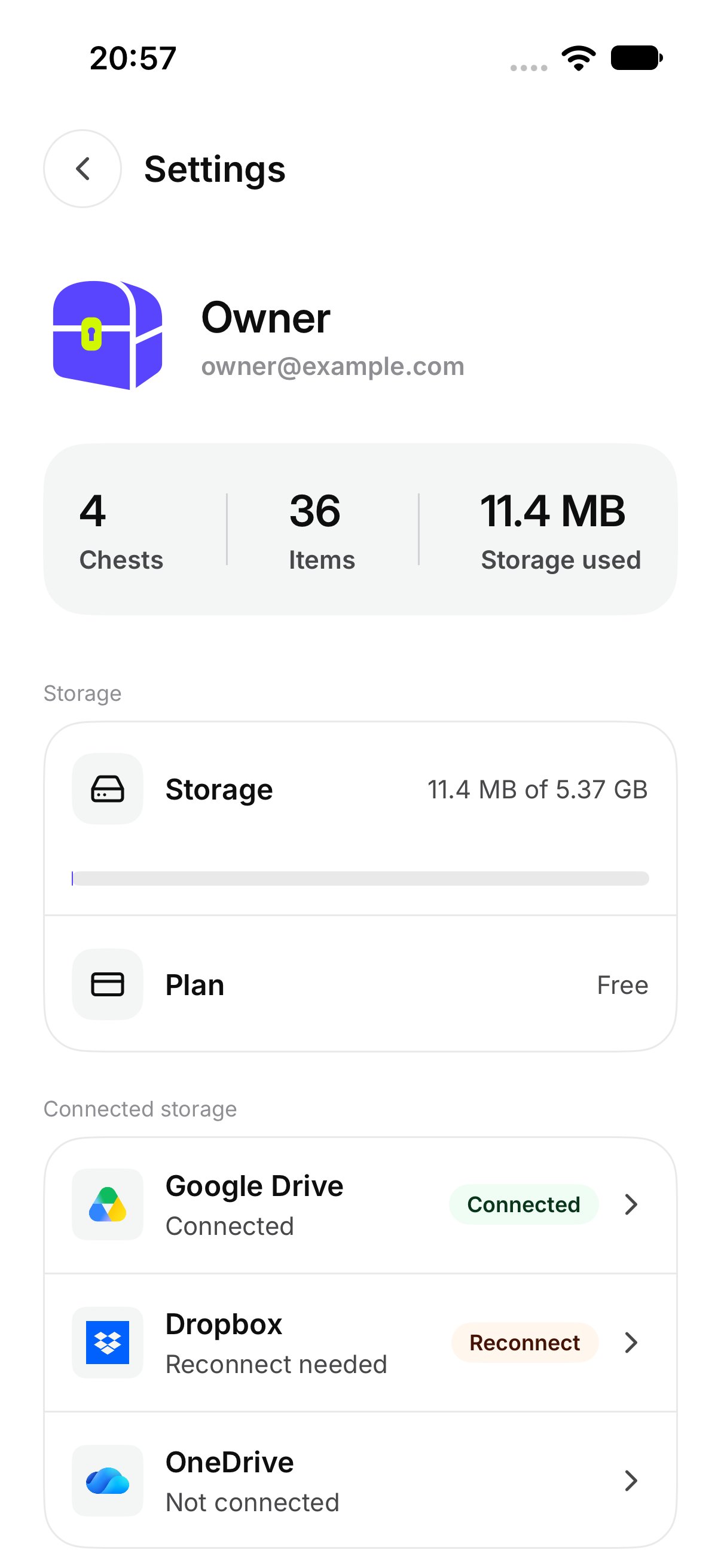
**Settings** shows **Storage** and **Plan** from your account. The names and the amounts are whatever is on that screen. This page does not list a price, and there is no button here to buy or change a plan.
## How do I see how much I have used?
Open **Settings**. The **Storage** row shows a bar and how much of your space is in use. Above it, the account summary can also show **Chests**, **Items**, and **Storage used**.
 ## What does the plan name mean?
The **Plan** row shows the name on your account. The screen may say **Free**, **Plus**, or **Event**. That name is the plan you are on. It is not a purchase screen.
An Event name belongs to an event Chest you joined or were given. The app does not have a screen for creating an event Chest.
## What happens when storage is full?
OurChest says **New uploads are paused. Everything you have stays viewable.**
You can still open photos and videos that are already in your Chests. New files wait until there is room. On the Chest, adding also says **Your storage is full. New uploads are paused.** See [Add photos, videos, and files](../chests/add-photos-and-videos).
This documentation is built and hosted on [Mintlify](https://mintlify.com), a developer documentation platform.
## What does the plan name mean?
The **Plan** row shows the name on your account. The screen may say **Free**, **Plus**, or **Event**. That name is the plan you are on. It is not a purchase screen.
An Event name belongs to an event Chest you joined or were given. The app does not have a screen for creating an event Chest.
## What happens when storage is full?
OurChest says **New uploads are paused. Everything you have stays viewable.**
You can still open photos and videos that are already in your Chests. New files wait until there is room. On the Chest, adding also says **Your storage is full. New uploads are paused.** See [Add photos, videos, and files](../chests/add-photos-and-videos).
This documentation is built and hosted on [Mintlify](https://mintlify.com), a developer documentation platform.