> ## Documentation Index
> Fetch the complete documentation index at: https://docs.getourchest.com/llms.txt
> Use this file to discover all available pages before exploring further.
# Invite people
> Send one person a link or a QR code for your Chest
Only the owner can invite. Open **Invite people** from the Chest or from the card menu on [Your Chests](../chests/your-chests).
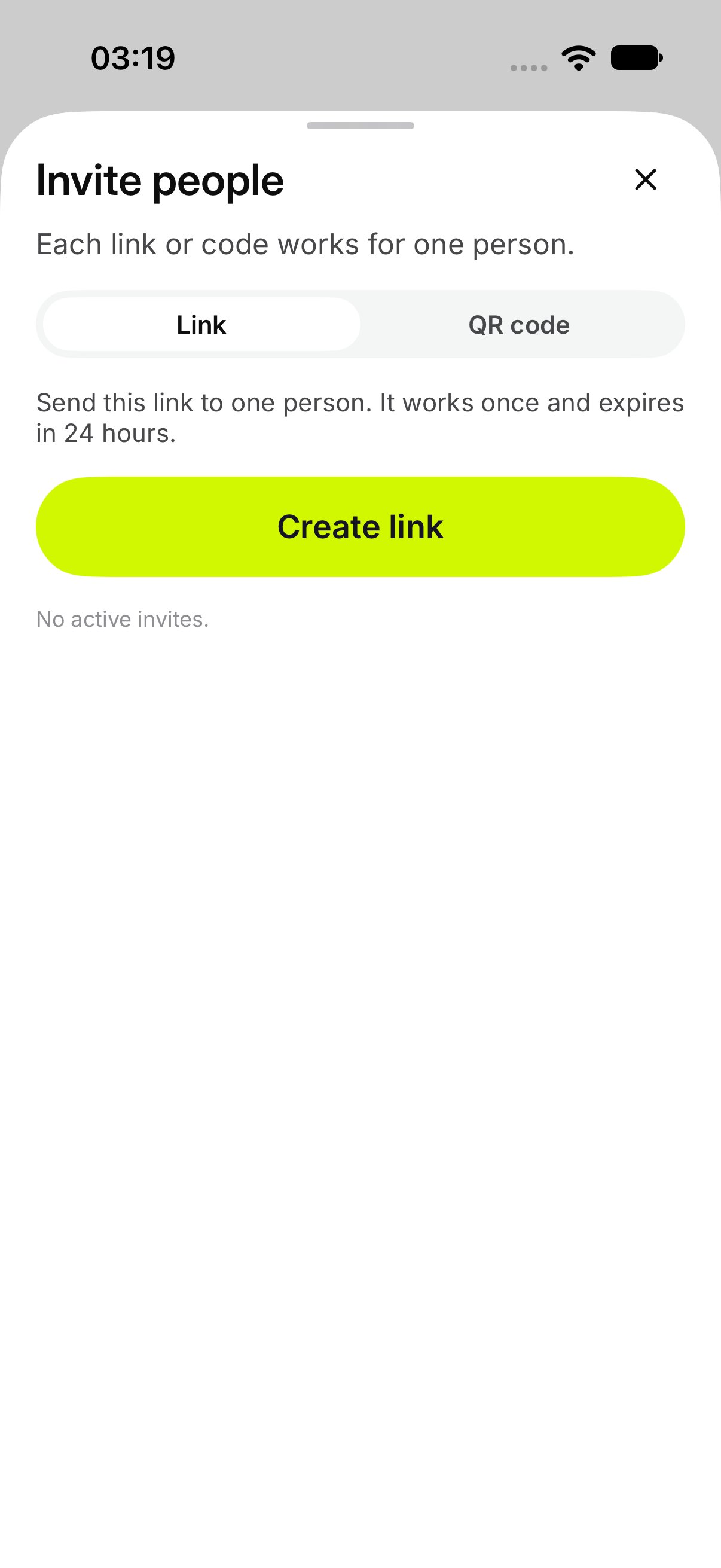
The sheet says **Each link or code works for one person.**
## How do I send a link?
1. Open **Invite people**.
2. Stay on **Link**.
3. Tap **Create link**.
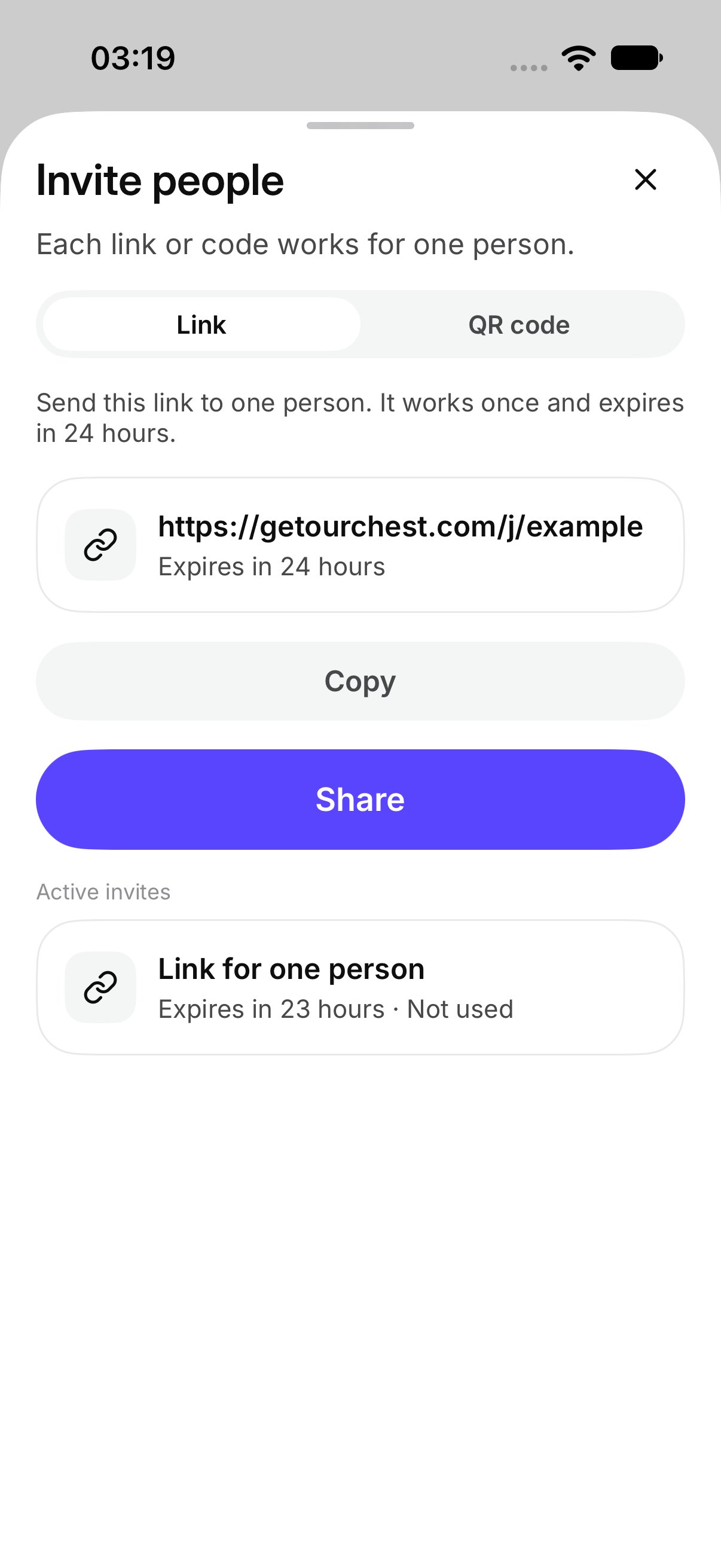
OurChest says **Send this link to one person. It works once and expires in 24 hours.**
Tap **Share** to send it, or **Copy**. After **Copy**, OurChest shows **Link copied**.
**Create another link** makes a new one. The earlier link still works until it is used, until it expires, or until you revoke it.
 ## How do I show a QR code?
Tap **QR code**, then **Show QR code**.
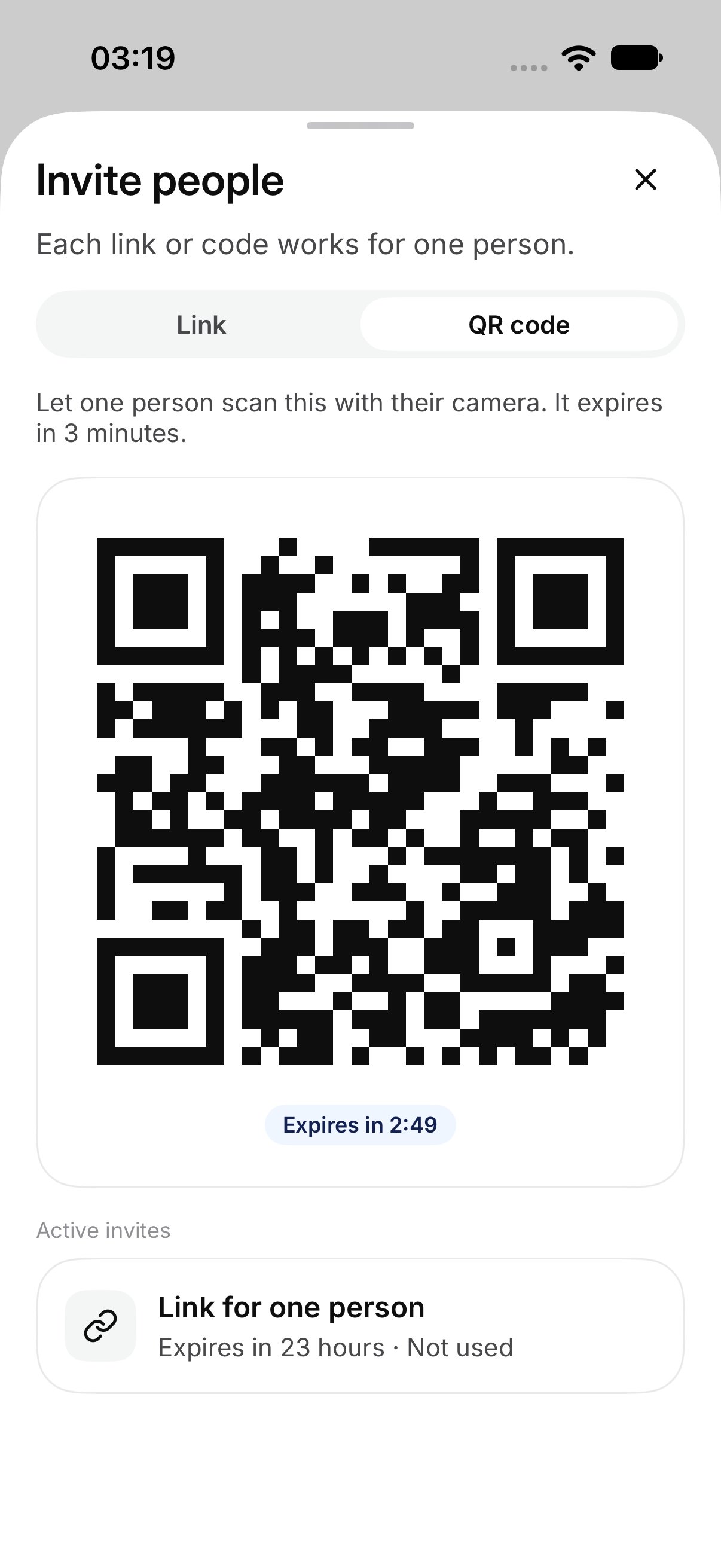
OurChest says **Let one person scan this with their camera. It expires in 3 minutes.**
They scan it from [Scan a QR code](./scan-a-qr-code).
**Make a new code** replaces the one on screen. The old code stops working.
## How do I show a QR code?
Tap **QR code**, then **Show QR code**.
OurChest says **Let one person scan this with their camera. It expires in 3 minutes.**
They scan it from [Scan a QR code](./scan-a-qr-code).
**Make a new code** replaces the one on screen. The old code stops working.
 ## How long does it last?
A link works once and lasts 24 hours. The sheet can say **Expires in 24 hours**.
A QR code works once and lasts 3 minutes. When the time is up, the sheet shows the code as expired.
## How long does it last?
A link works once and lasts 24 hours. The sheet can say **Expires in 24 hours**.
A QR code works once and lasts 3 minutes. When the time is up, the sheet shows the code as expired.
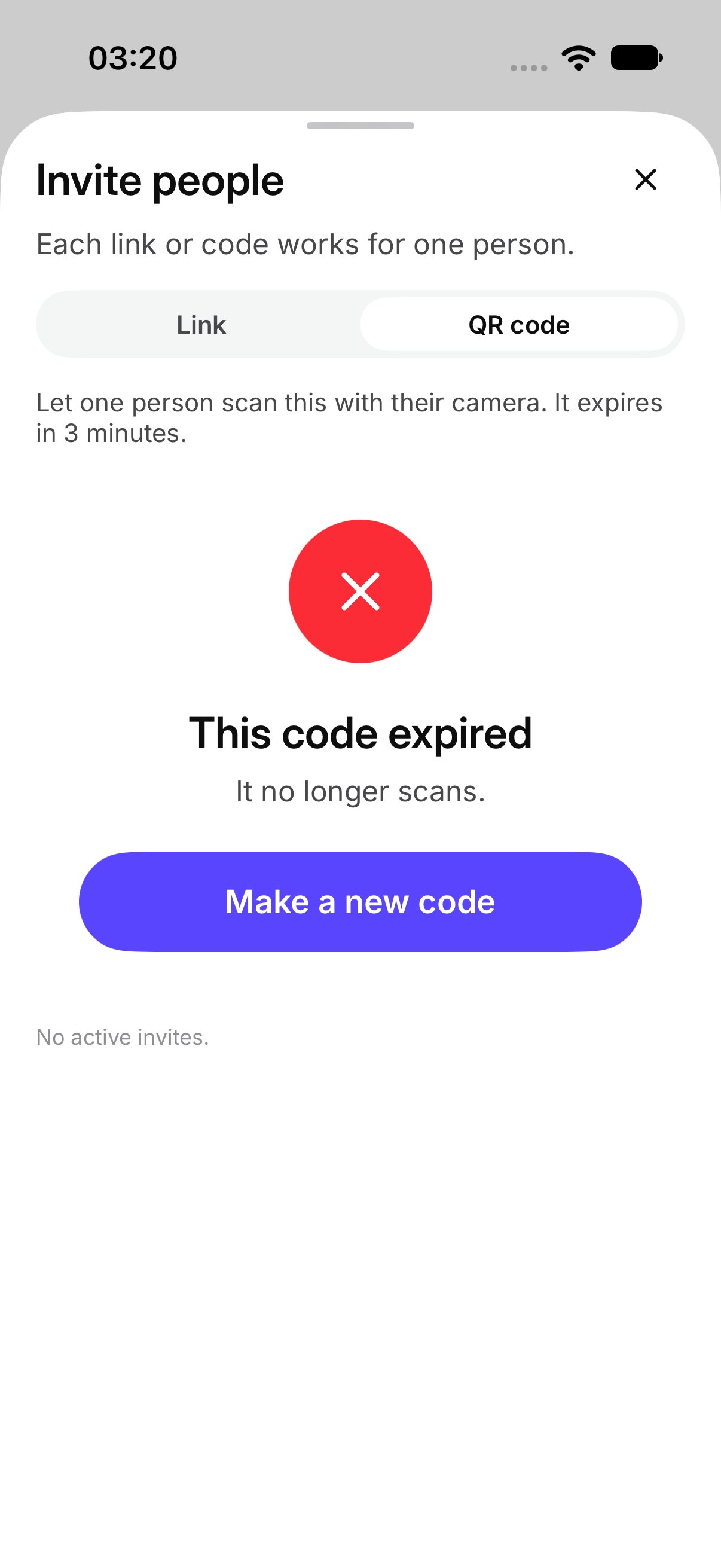 **Active invites** lists the ones that are still open. If there are none, it says **No active invites.**
## How do I turn an invite off?
Open the invite and tap **Revoke**.
That invite cannot be used. OurChest shows **Invite revoked**. A link or code that was already used stays used. Revoke does not remove someone who has already joined. That is [Remove](./members) on **Members**.
This documentation is built and hosted on [Mintlify](https://mintlify.com), a developer documentation platform.
**Active invites** lists the ones that are still open. If there are none, it says **No active invites.**
## How do I turn an invite off?
Open the invite and tap **Revoke**.
That invite cannot be used. OurChest shows **Invite revoked**. A link or code that was already used stays used. Revoke does not remove someone who has already joined. That is [Remove](./members) on **Members**.
This documentation is built and hosted on [Mintlify](https://mintlify.com), a developer documentation platform.