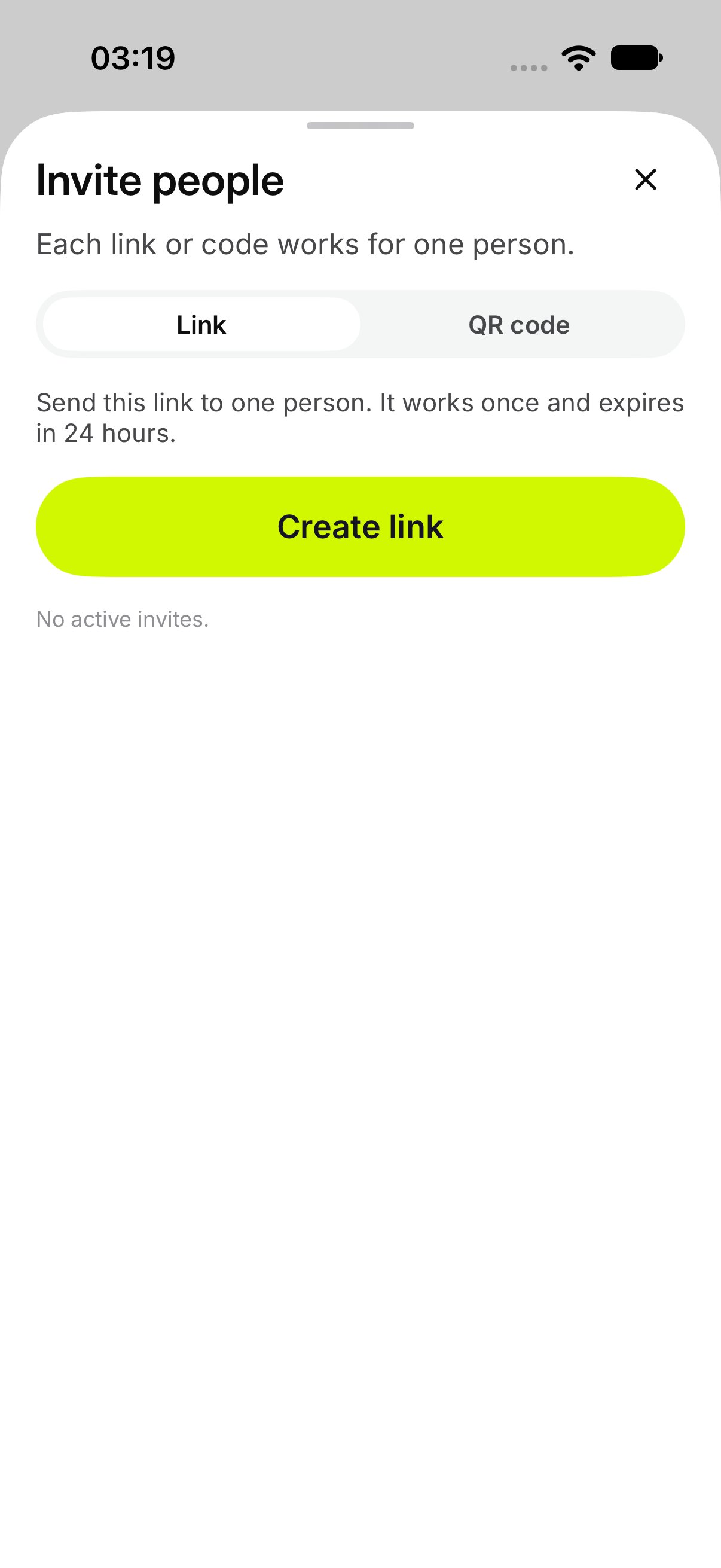
Only the owner can invite. Open Invite people from the Chest or from the card menu on Your Chests. The sheet says Each link or code works for one person.
  1. Open Invite people.
  2. Stay on Link.
  3. Tap Create link.
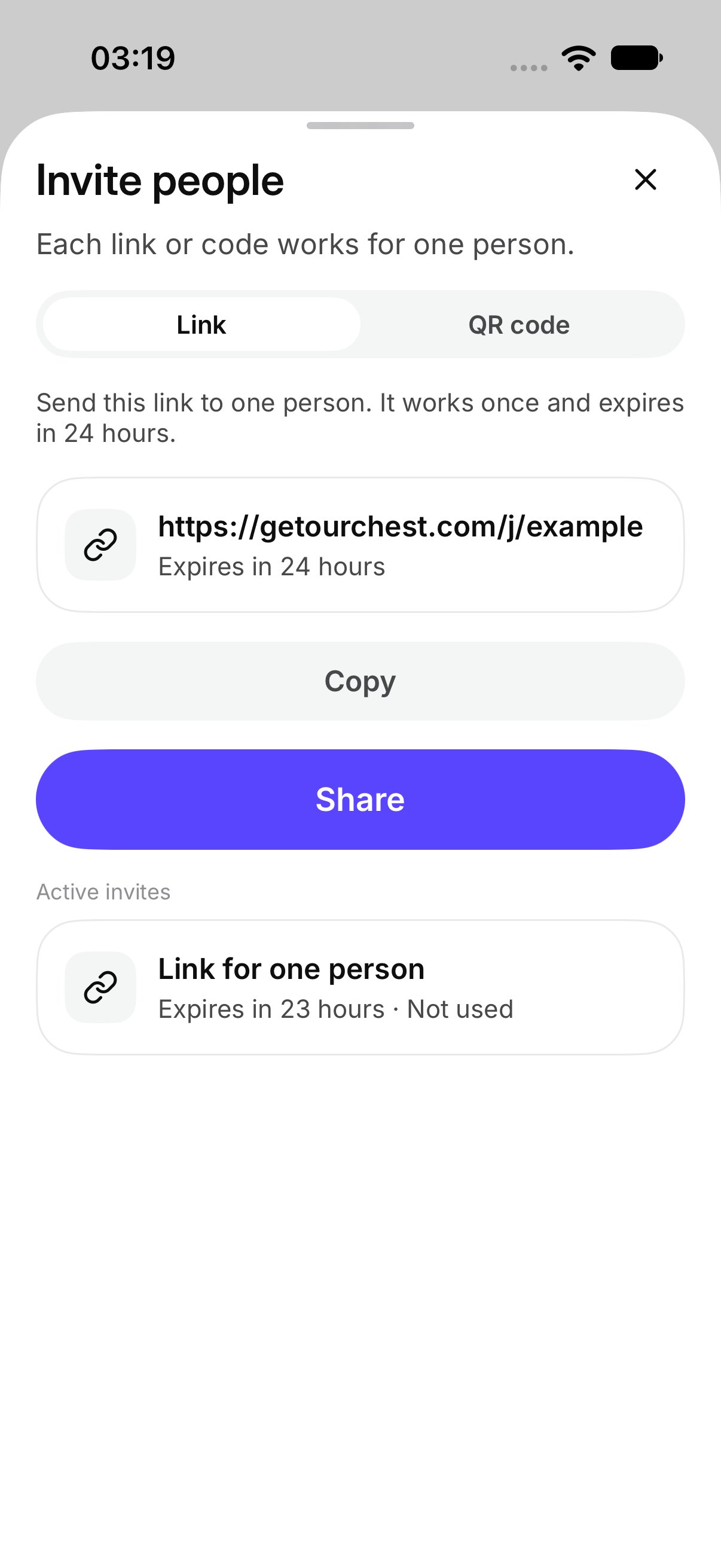
OurChest says Send this link to one person. It works once and expires in 24 hours. Tap Share to send it, or Copy. After Copy, OurChest shows Link copied. Create another link makes a new one. The earlier link still works until it is used, until it expires, or until you revoke it. Invite people, before a link exists Invite people, with a link ready to share

How do I show a QR code?

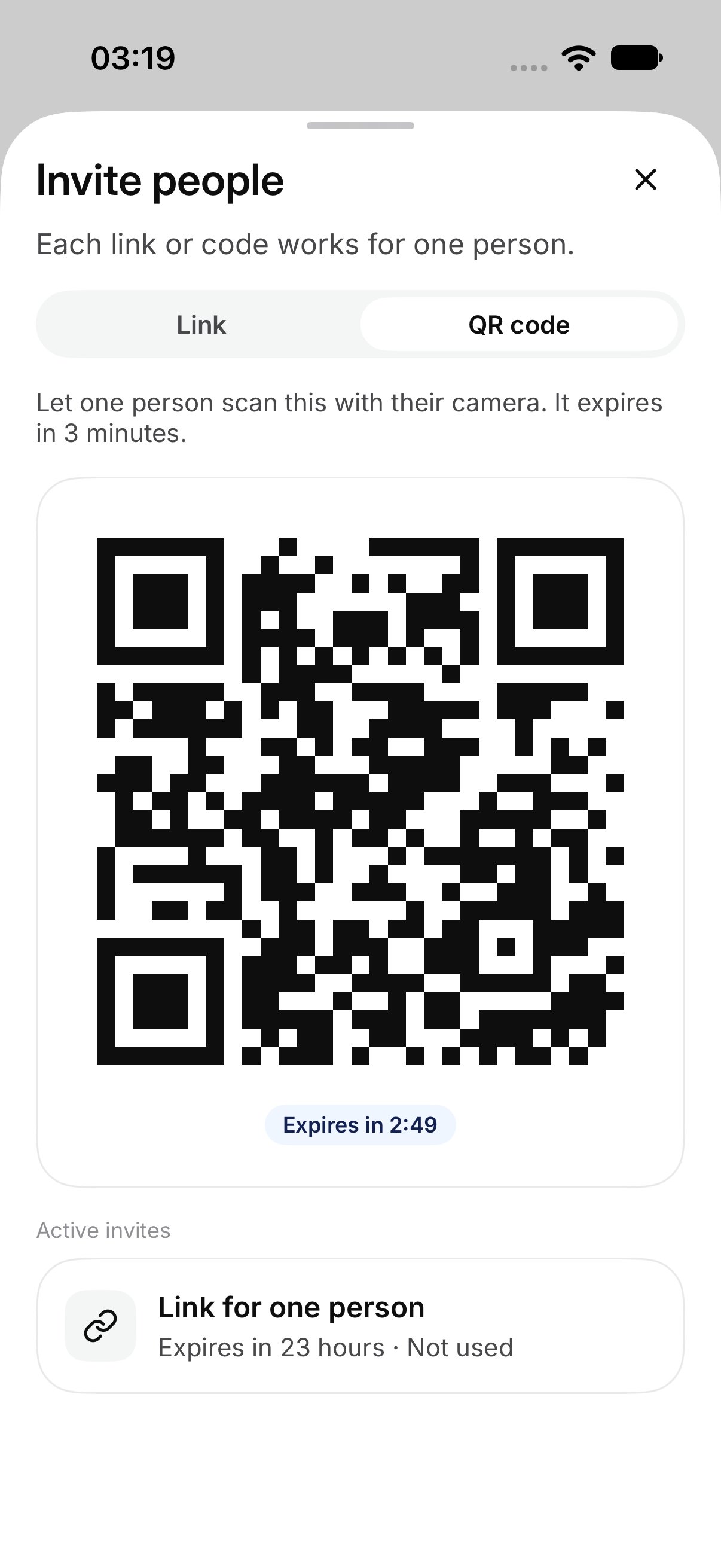
Tap QR code, then Show QR code. OurChest says Let one person scan this with their camera. It expires in 3 minutes. They scan it from Scan a QR code. Make a new code replaces the one on screen. The old code stops working. A QR code ready to scan
How long does it last?

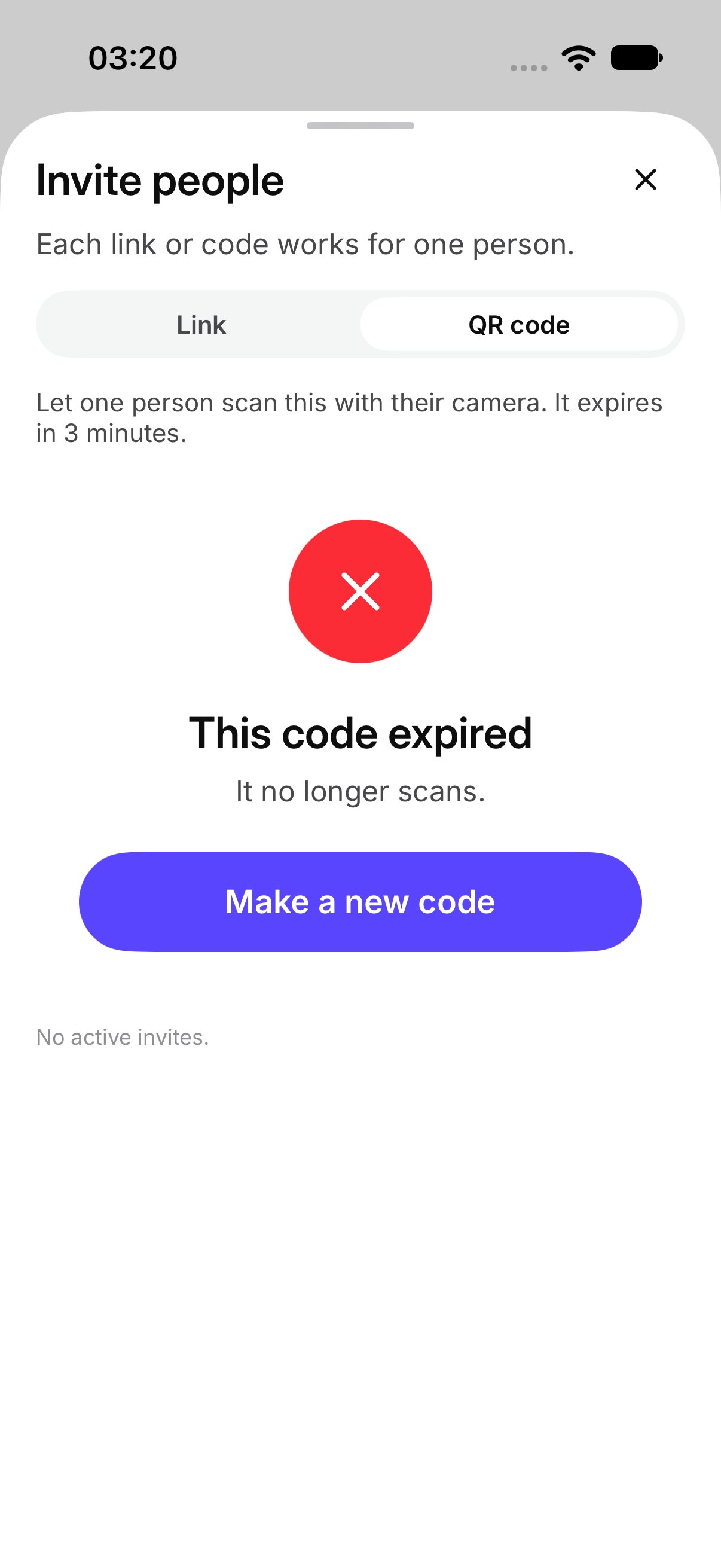
A link works once and lasts 24 hours. The sheet can say Expires in 24 hours. A QR code works once and lasts 3 minutes. When the time is up, the sheet shows the code as expired. An expired QR code Active invites lists the ones that are still open. If there are none, it says No active invites.
How do I turn an invite off?

Open the invite and tap Revoke. That invite cannot be used. OurChest shows Invite revoked. A link or code that was already used stays used. Revoke does not remove someone who has already joined. That is Remove on Members.